Why I chose Dynadot for my domain and free business email
When I set up jayln3.com for this blog, I expected to register the name, add a few DNS records and move on. Payment, email setup, forwarding and HTTPS each needed more attention than I had expected.
I chose Dynadot for domain registration and its included free email hosting. The reasons were practical: I could pay with Alipay in Chinese yuan, use an address on my own domain, and manage parts of the setup through an API.
The email limits matter: one email address, 1GB of storage and up to 25 outgoing messages per day on the free plan. That suits a personal site’s modest contact needs; larger mailboxes and teams need a different plan. See the official email plans.
Referral disclosure: This article includes my Dynadot referral link and code. A qualifying new customer and I may receive account credit under the program’s rules. This English edition follows my Chinese setup record from September 29, 2026. Historical quotes and screenshots are not promises of today’s prices.
The free feature I actually use
My blog’s contact address is contact@jayln3.com. It matches the site and gives me a consistent address to put on project pages and introductions.
Here, “business email” simply means email using my own domain. An individual can use it too, but the free allowance is small:
| Item | Free plan allowance |
|---|---|
| Email addresses | One address for the domain |
| Storage | 1GB |
| Outgoing mail | Up to 25 messages per day |
| My choice | Use the allowance for contact@jayln3.com |
These limits come from Dynadot’s email product page. A single free address does not give me separate free mailboxes for contact@, sales@ and support@.
For a personal site, I can start with the address I need and upgrade if actual usage justifies it. Frequent large attachments or long-term mail archives would make me reconsider the storage allowance. Domain registration and renewal still cost money.
Three email setup details worth checking
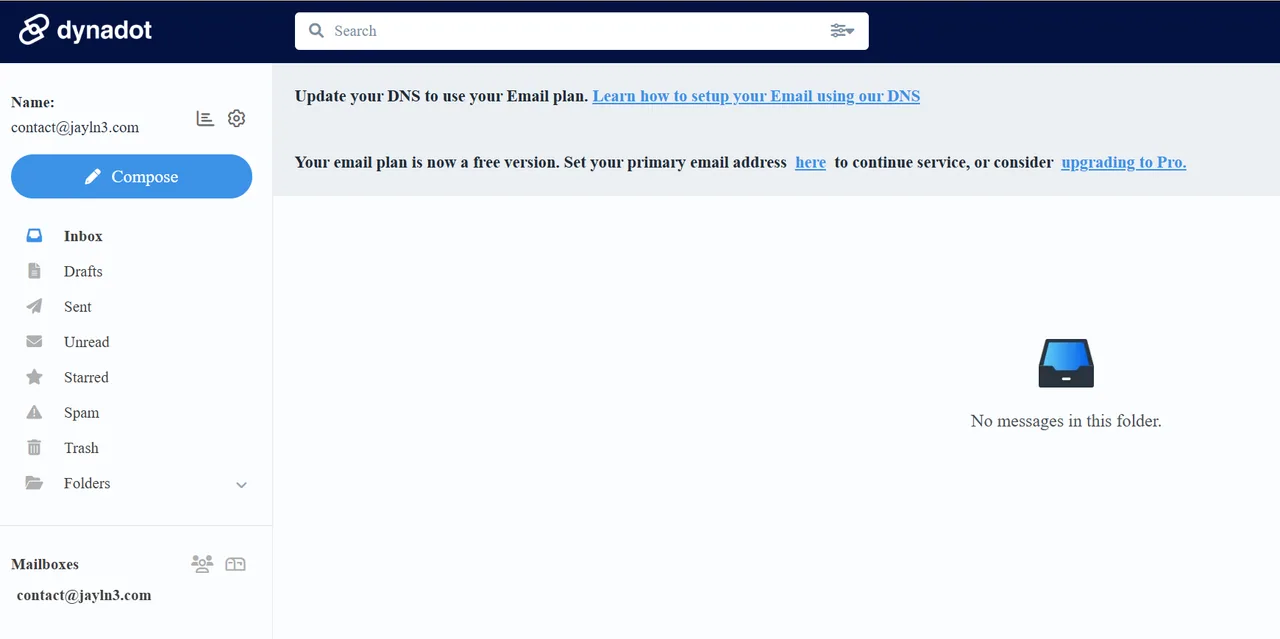
Set the primary address after creating the mailbox
The mailbox interface already showed contact@jayln3.com, but it still asked me to select a primary email address.
Seeing the address in a list was not the last step. We explicitly assigned it as the free plan’s primary address, and the notice disappeared. With one free address available, I wanted to confirm that the allowance was attached to the address I intended to keep.
Mailbox forwarding and domain forwarding are separate settings
I wanted incoming messages forwarded to my usual QQ mailbox while keeping a copy in Dynadot. For that, we used the forwarding setting inside the mailbox:
My Emails → Sign in → select the mailbox → General Settings → Delivery Options → Forwarding.
After saving the destination, we sent the verification email and confirmed it in the receiving mailbox. The interface then showed Verified, with Deliver Email to Inbox still enabled. The free mailbox plan supports one forwarding destination. See Dynadot’s mailbox forwarding instructions.
The domain management area also has an Email Settings → Forwarding Email option. That is a separate domain forwarding service. Dynadot warns that switching to it disconnects the domain from existing Dynadot Email Hosting. If you already use the hosted mailbox, configure forwarding from inside it. Domain forwarding documentation
At the time of this record, we had verified that the settings persisted and the forwarding address was confirmed. We had not yet completed a separate end-to-end test of actual sending, receiving and forwarding. This is a setup account, not a long-term deliverability review.
Preserve the website’s DNS records when adding email
The website already pointed to GitHub Pages. While adding the email records—MX, SPF, DKIM and DMARC—we kept the existing website A, AAAA and www CNAME records.
If I move DNS to Cloudflare later, the website and email records will need to move together. Dynadot’s nameserver instructions also explain that services such as email need the appropriate records at the new DNS provider.
Cloudflare supports UnionPay but my card payment failed
I considered Cloudflare while choosing a registrar. Its official payment documentation lists UnionPay, so describing it as unsupported would be inaccurate.
My own UnionPay card did not complete the payment in that attempt. I did not establish the cause, and this says nothing about whether another person’s card will work.
Dynadot’s payment options explicitly include Alipay and UnionPay with payment in Chinese yuan. For someone who normally pays with Alipay, that was a convenient route.
| Payment question | Dynadot | Cloudflare |
|---|---|---|
| Alipay | Listed, with payment in CNY | Not listed in the payment documentation reviewed for this article |
| UnionPay | Listed | Listed, although my attempt failed |
| Practical decision | Check the payment method you can actually use | Still worth comparing if you have a working card or PayPal account |
The table combines the providers’ published options with my particular experience. It is not a compatibility test across cards and regions.
What the cart’s add-on entries actually include
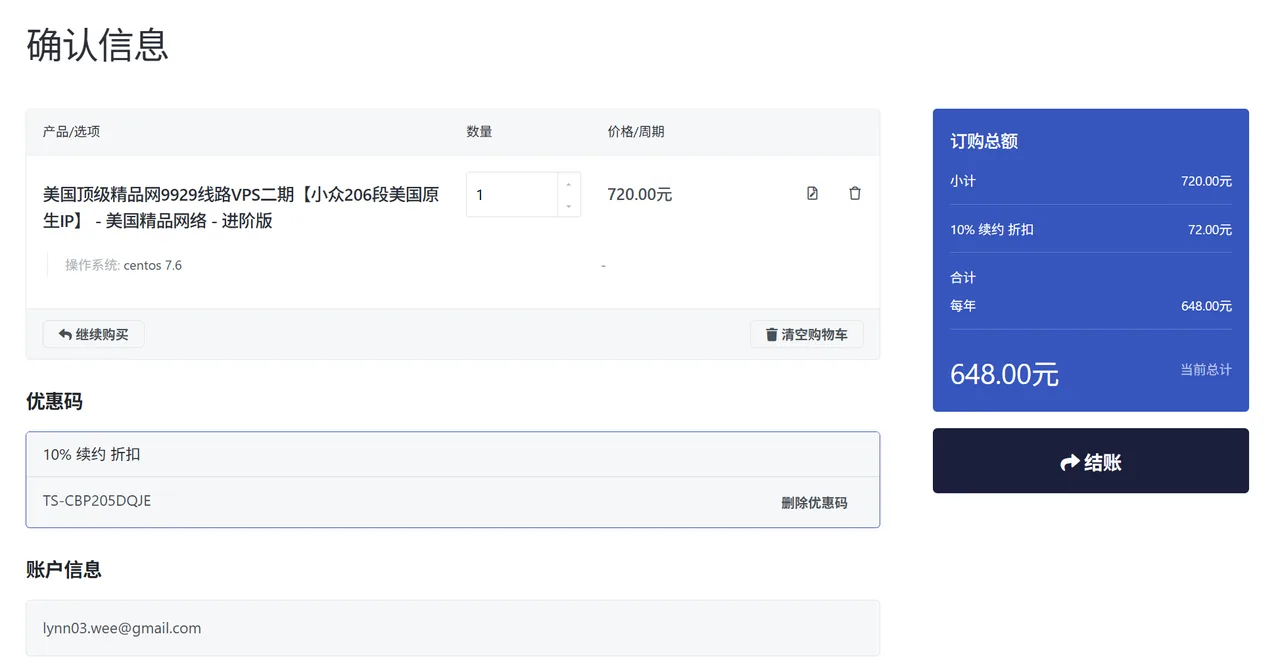
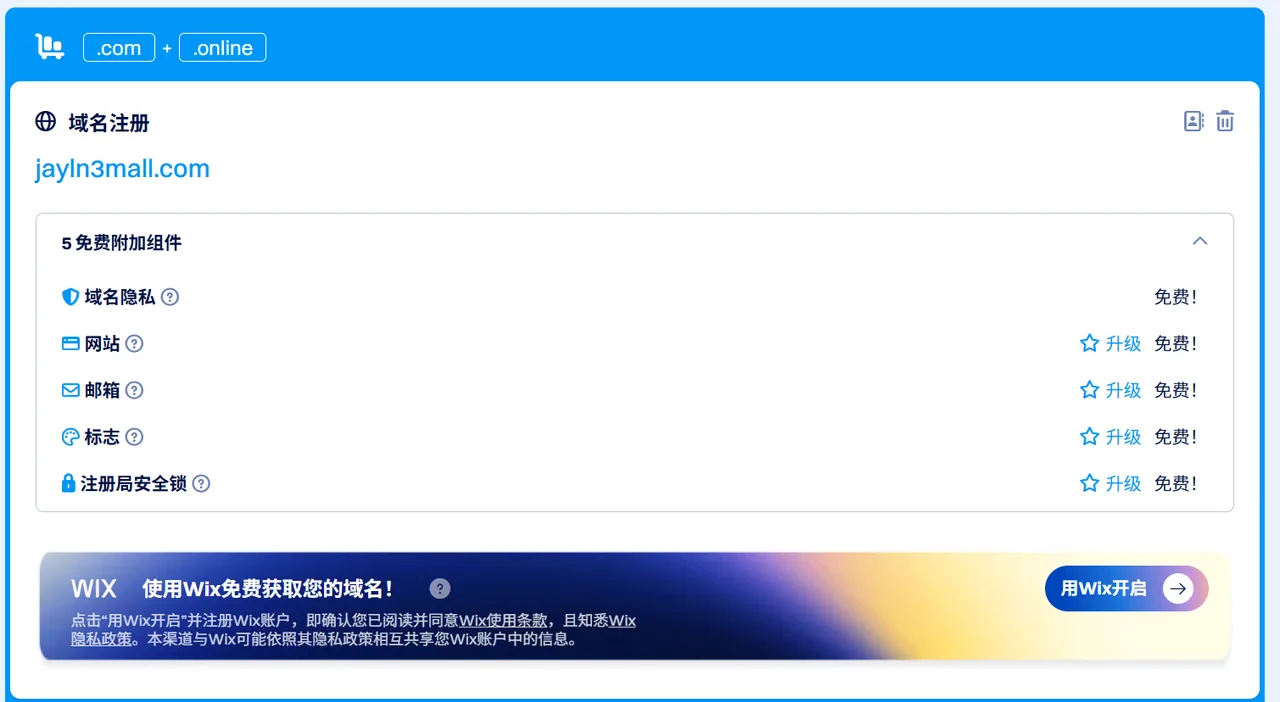
The image at the top came from a shopping cart for jayln3mall.com. It is a different name from the jayln3.com domain configured in this article. The screenshot shows feature and upgrade entries, not evidence that every advanced feature was activated for free.
| Add-on | What I would use it for and where the limits are |
|---|---|
| Domain privacy | Hides some public WHOIS contact details for eligible extensions; registry rules differ. |
| Website builder | The free plan supports a single page with 500MB storage and Dynadot footer branding. More advanced features require an upgrade. |
| The one-address, 1GB allowance discussed above. | |
| Logo tool | The free plan allows one logo and PNG export; capabilities such as SVG export are part of Pro. |
| Registry Lock | A paid security upgrade, rather than a free registry-level lock included just because it appears in the cart. |
Plan references: domain privacy and security, website builder, email and logo tool.
Email was the included service I put to use first. The website continued to run on my existing blog system, so I did not need to activate every add-on.
Compare the bundle price with the renewals you will keep
These were the first-year quotes I recorded while shopping on September 29, 2026:
| Combination | Historical first-year quote |
|---|---|
jayln3.com alone |
CNY 73.80 |
jayln3.com + jayln3.online |
About CNY 67 |
jayln3.com + jayln3.my |
CNY 60.30 |
In that comparison, the .com + .my bundle was CNY 13.50 less than the .com alone. These are historical quotes, not current offers.
Dynadot explains that bundled domains can later be renewed, transferred or allowed to expire separately. If I do not need an extra extension long term, I should check its auto-renewal setting and renewal cost. Domain bundle and renewal information
Cloudflare Registrar is also worth comparing: it describes its registration, transfer and renewal pricing as being at cost, without an added markup. Cloudflare domain pricing
My comparison is the initial bill plus the future renewals for names I will actually keep. A promotional first-year bundle alone cannot settle the long-term choice.
Both registrars offer APIs
Dynadot’s domain API covers operations such as domain checks, registration, renewal and DNS changes. Its documentation also provides REST API and MCP entry points. During my setup, we used APIs to configure DNS, create the free email hosting service and add the required mail records.
The mailbox’s forwarding and primary-address settings were still completed in the web interface. API availability does not imply that every setting is exposed through an endpoint.
Cloudflare also provides a DNS API. Its Registrar API documentation describes domain search, availability and pricing checks, and registration, and labels the service Beta. Both providers can fit an automated workflow; the relevant operations and permissions need to be checked separately.
My website stack and the HTTPS setup
At the time of this record, the site used:
| Part | Service |
|---|---|
| Domain registration and renewal | Dynadot |
| DNS | Dynadot DNS |
| Blog and hosting | Hexo + GitHub Pages |
| HTTPS certificate | Issued and managed through GitHub Pages |
| Domain email | Dynadot’s free mailbox at contact@jayln3.com |
After connecting the custom domain, I encountered an HTTPS certificate problem. We saved jayln3.com again in the repository’s Settings → Pages, waited for domain validation and certificate provisioning, then enabled Enforce HTTPS.
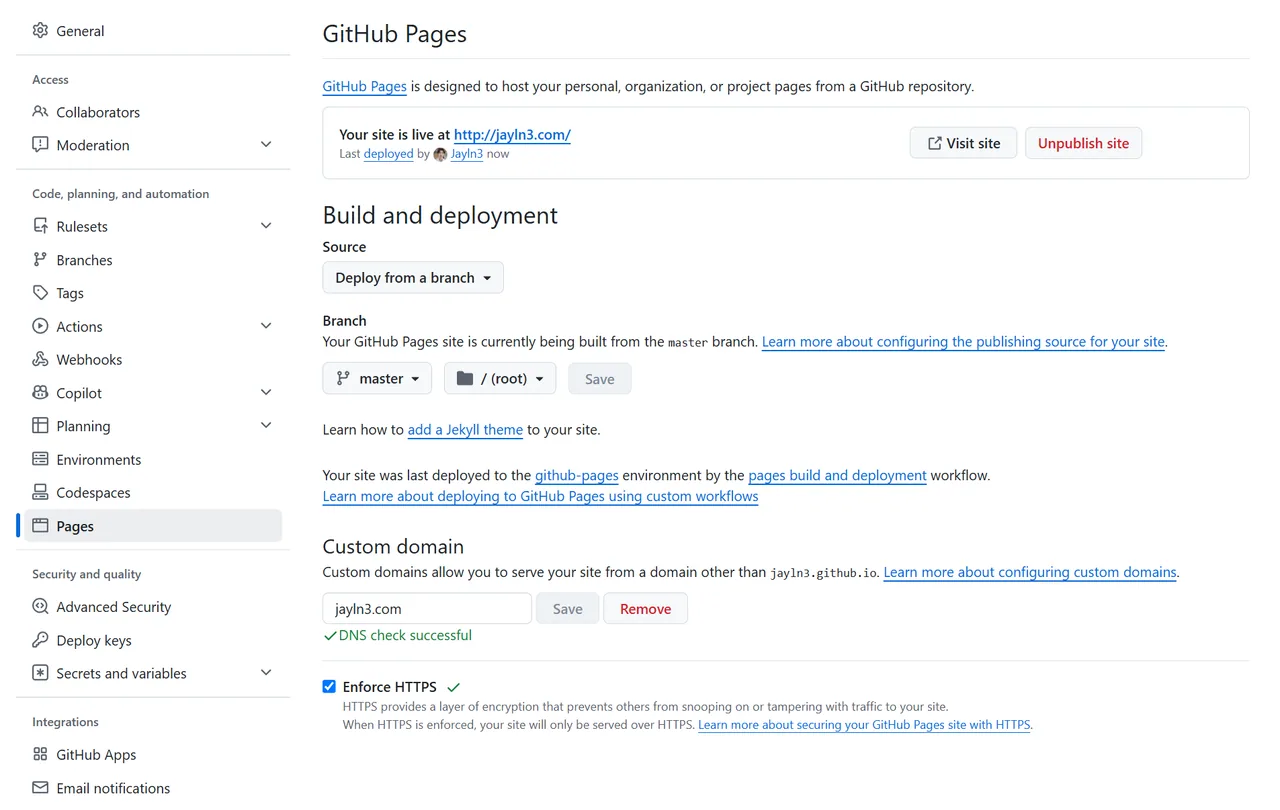
DNS resolution, certificate issuance and HTTPS enforcement are separate states to verify. We subsequently confirmed HTTPS access and redirects from HTTP and www to the main site. GitHub’s HTTPS documentation also explains that certificate provisioning can require a wait after configuring a custom domain.
Another possible combination is Dynadot for registration, Cloudflare for DNS, and a hosting provider of my choice. Dynadot permits third-party nameservers, while domains registered with Cloudflare Registrar must use Cloudflare nameservers. Dynadot nameserver settings, Cloudflare Registrar requirements
My referral link and the conditions
For a personal blog, portfolio or small project site, Dynadot is worth comparing if you want a convenient Alipay payment route and a modest mailbox on your own domain. Keep the free email allowance in mind: one address, 1GB and 25 outgoing messages per day.
Visit Dynadot through my referral link to check current domain prices
Referral code: 7r6S8u7S9X817e8s. It can also be entered in the referral field when creating an account.
Under the Refer-a-Friend rules, a new customer must register through the referral link or code and place a first order of at least US$9.99. The referrer must have spent at least US$1.99 in the preceding 365 days. If the requirements are met, each person may receive US$5 in account credit, which can take up to 15 days to appear.
This is account credit earned after qualifying, rather than US$5 immediately deducted at checkout. A low-price CNY bundle should not automatically be assumed to meet the USD first-order threshold. Choose the domains you need and consider the referral benefit only if the order qualifies.
The useful result for me was getting jayln3.com and contact@jayln3.com working together. Understanding the payment options, mailbox allowance, DNS and certificate setup leaves more time for writing and building projects.